|
Wednesday, November 4, 2026
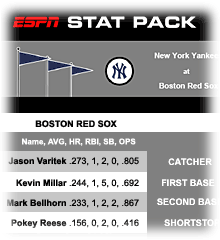
ESPN Stat Pack
|
SERVICE CURRENTLY UNAVAILABLE
HP and ESPN have teamed up to bring you the Stat Pack.
Because no one knows sports fans like ESPN.
And no one but HP gives you the technology you need to enjoy sports even more
-- like digital cameras to capture your favorite sports moments and Photosmart printers that help you share them.
The Stat Pack offers:
- Up-to-date news and stats for each game
- A Scorecard to track the action yourself
- An easy-to-print format
It's everything you need to get the most out of every game.
Previews for all MLB Games are available by 11 AM each morning.
Click here to send feedback |
Email this page to a friend
|
|
| Stat Pack |
| TEAMS |
TIME (ET) |
PRINT |
TICKETS |
PITCHERS |
|
HAVING PROBLEMS?
Typical problems include the browser window freezing, or the .pdf file opening as a blank page. This problem may occur when downloading large files. The first page may appear blank until the entire document loads. This problem may also be due to the integration of your browser and Adobe Acrobat Reader. The following suggestions may help if you are experiencing these difficulties.
1. RECOMMENDED: Disabling Browser Integration by running Acrobat Reader in a separate window from the browser. Opening the document in its own window may facilitate viewing.
· Open Acrobat Reader
· Version less then 6.0
· Go to File > Preferences > General
· In the Options section, uncheck the Browser Integration box
· Version 6.0
· Go to Edit > Preferences > Internet
· In the Web Browser Options section, uncheck the Display PDF in Browser box
· Click OK, then exit from Acrobat/Acrobat Reader
· Restart Internet Explorer
|
2. Save the PDF file to your hard drive for later viewing or printing. It will be faster to print an Adobe document if you have downloaded it first.
· Click the link with the RIGHT mouse button
· Choose "Save Target As..." (Internet Explorer) OR "Save Link As..." (Netscape)
· Select an appropriate folder on a local drive to place the downloaded file
|
|